






















Website mockups are essentially sketches for a new web page or series of pages. It shows viewers what the site will look like without incorporating functional elements such as links or finalized content.
A mockup, if approved, is the precursor to a website prototype.
This is a version of the final platform with clickable buttons and functional elements. A prototype can be tested by users to ensure it is user-friendly before live implementation.
Why are Mockups Important in Web Design?
Developing website mockups is important for three principal reasons:
- Clarifying design concepts – Mockup templates give both you and the web designers a clear idea of the site’s layout, color scheme, and overall aesthetics. This visual roadmap ensures everyone is on the same page.
- Saving time and money – By creating a mockup, designers and business owners can identify sections of the site that need changes. The web designers can then make those alterations before coding begins. This prevents costly revisions and delays down the line.
- Getting feedback – It’s much easier for non-designers, such as stakeholders and clients, to provide input when they can see a visual representation. Mockups can lead to a more refined final product by exposing undesirable aspects of the website design before they’re fully implemented.
The Prodima company always shares visual web mockups with its partners to ensure their satisfaction.

–
Why is it Important to Work with Professional Website Mockup Designers?
For any of the points in the previous section to be applicable, your website mockups need to be polished and accurate.
That’s where professional website mockup artists come in. It might seem like a simple task to sketch out the website you want.
In actuality, designing mockups that indicate a clear path forward is a fine art.
The designer has to weave together memorable features, brand identity, and a well-optimized page structure into one intuitive design.
Freelancers or junior designers barely get the job done. An experienced website mockup service makes a significant difference.
Step-by-Step: Prodima Website Mockup Design Service Process
Prodima Vietnam has a tried-and-true five-step process for creating mockups.
Step 1. Create a Wireframe
A wireframe is a blueprint for a website. It shows the layout of all the content blocks on the web pages, but it does not use colors or any specific content.
Wireframes often use boxes with Xs to indicate where images will be placed. Boxes with a short description (e.g., “settings” or “social logo”) might show where different elements will appear on the webpage.
When Prodima creates a wireframe, we consider how the pages it generates will operate once they go live. For example, we have to think about:
- UI/UX
- Images
- White space placement
- Content hierarchy
- Page loading time
- Compatibility with each browser
- Mobile responsiveness
- Mobile app version (if any)
We then use wireframing tools like Sketch or Mockflow to create vector-based wireframes for each page.

–
Step 2. Add Visuals to Your Wireframe
Now it’s time for us to give your wireframe some of the stylistic panache that will make your eventual website stand out.
We’ll add color schemes and fonts inspired by your brand and mission, and include some basic content.
This is the part where the wireframe becomes a mockup.
Step 3. Collect Feedback
We’ll come up with a few wireframes for you to choose from at this point. Prodima usually starts with your website’s homepage.
As the index of the entire platform, we must get it right before developing the mockups of the other pages. Most of the styles, fonts, and colors must be fixed at this stage.
Once our stakeholders confirm what they like, we’ll move forward using the website mockup they choose.
Step 4. Turn Your Mockup into a Prototype
Once we finalize your website mockups, we’ll turn your chosen mockup into full-on interactive prototypes by adding functionality.
A functioning navigation system, a simple linking structure, and some basic interactive content might be found in the prototype.
Only after the prototype features are put in place will the website be ready for step 5.
Step 5. Test & Redesign
Now that the prototype is polished, we’ll run a few tests to ensure it performs well. For instance:
- Usability Testing – We’ll conduct usability testing with real people as they browse the “website.” Testers will perform common tasks, and Prodima’s designers will monitor any difficulties users encounter.
- Browser Compatibility Testing – We’ll test the mockup in different web browsers (Chrome, Firefox, Safari, Edge, etc.). In doing so, we’ll ensure that it displays correctly and functions as expected on all major platforms.
- Performance Testing – Designers will assess the mockup’s loading speed. Tools like Google PageSpeed Insights can help identify performance issues and suggest improvements.
- A/B Testing – We’ll usually run A/B tests by creating two mockups with subtle differences. We’ll then compare which version performs better in terms of user engagement and conversions.
These are only a few of the tests we’ll usually run.
After running all tests, we’ll use the data collected to make any necessary adjustments to the website design.

–
Website Mockup Design Tools
From wireframing tools to mockup creators to prototyping helpers, Prodima has a few favorite software tools that we use for mockup templates.
Here is a list of the best design tools we endorse, organized by category.
For Wireframes: Balsamiq
Balsamiq’s intuitive drag-and-drop interface is amazingly efficient at creating simple website mockups very quickly.
We almost always use it for early-stage concept development, because its speed allows us to do a lot of trial-and-error.
For Mockups: MockFlow
Mockup is generally our tool of choice for turning rudimentary wireframes into actual mockups. It’s great at adding color and injecting some style.
MockFlow can turn the former wireframe into a presentable product that can be submitted for feedback.
Sketch is another fantastic tool in this category, but it’s a Mac OS-exclusive mockup tool.
For Prototypes: Adobe XD
Adobe XD isn’t as quick or intuitive to use, but it can generally produce the most beautiful results.
For example, Photoshop offers a ton of features and can create detailed vector-based prototypes that look exactly as you want.
It’s also great at incorporating interactive and responsive page elements.
For Collaboration: Figma
If a website’s design project has “a lot of cooks in the kitchen,” so to speak, Figma very well may be one of the best website mockup tools to use.
It’s a cloud-based design tool that allows real-time collaboration among team members.
With the Figma design tool, it’s a lot easier for everyone involved to stay on the same page in real time.
Common Mistakes When Creating a Website Mockup
A few common pitfalls include:
Neglecting White Space
Not many people realize how much the eyes appreciate a bit of rest when browsing a web page.
At Prodima, we say “Less is more.” Often, it is better to drop elements than to create complex websites.
Making sure your graphic design elements and content blocks aren’t too crowded will do wonders for your mockup’s aesthetic.
Overcomplicated Designs
Making the elements on your page too intricate or too closely crowded together will ruin a mockup.
Firstly, it doesn’t allow the eye to rest when browsing the page.
Second, it will slow down the loading time once the mockup becomes a website.
Third, a complex design may confuse online visitors, significantly decreasing your conversion rates.
Luckily, avoiding this mistake synergizes well with implementing top-quality design.
Not Involving Stakeholders
Not seeking client or team member feedback can lead to misunderstandings and revisions later in the design process.
Our product managers involve stakeholders from the beginning to save time and help lead to a high-fidelity product that everyone’s happy with.
Neither the designer nor the website owner wants to waste time on last-minute back-and-forth feedback before the live date.
As we always say at Prodima Vietnam, “Transparency in communication is key.”
Neglecting SEO
Neglecting search engine optimization (SEO) factors can impact the website’s visibility in search results.
Prodima’s designers are trained in SEO-friendly practices that they apply when creating mockups.
It includes attention to:
- UI/UX
- Website architecture
- On-page elements
- Online users touch points
- Fonts
- CSS
- HTML content
Of course, web design SEO fundamental implementations will never replace a full SEO strategy.
However, to run an SEO campaign, your website needs its design basics properly covered, and Prodima guarantees that.
Ignoring mobile
Remember that the majority of today’s web browsing occurs on mobile devices. Because of that, page designs must be simple enough to look good on desktop and mobile browsers.
Prodima designers understand the importance of mobile devices.
For this reason, we always create the mockups for the mobile version first, before expanding to desktop and bigger screen sizes.
Prodima Website Mockup Design Case Studies
Here are a few sites that originated with mockups we built, along with a glimpse of their designs in the Figma design tool:
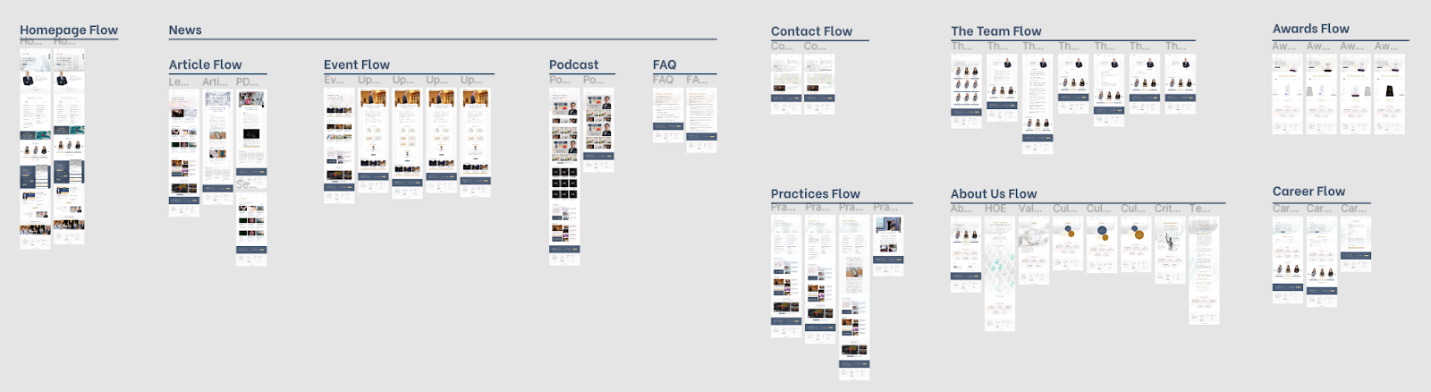
Le & Tran Law
For a law firm, we knew our interactive prototypes needed to convey a sense of extreme authority and trustworthiness.
Our designers achieved this by creating an orderly layout that still captures an out-of-the-box feel.

–
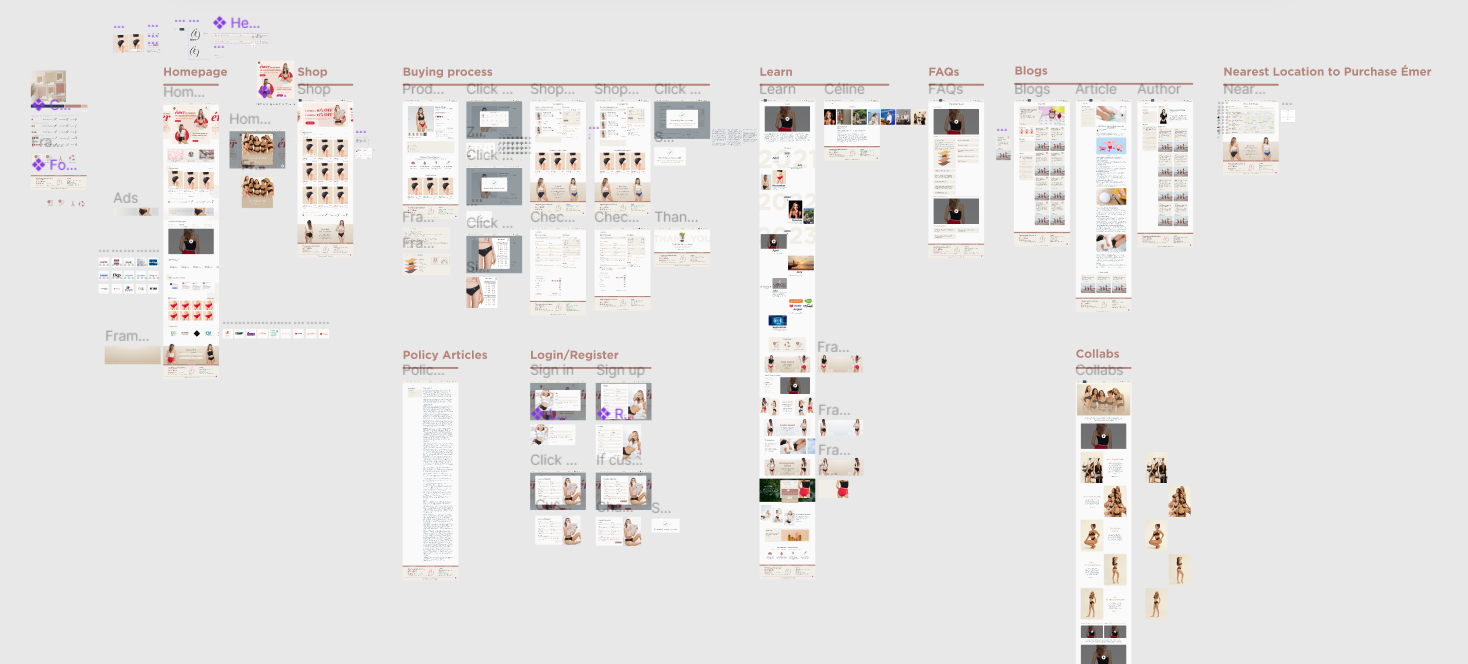
Shopemer
With this website mockup (later transferred to the site), we ensured a casual, comfortable, and creative feel.
We did so by using earthy colors, non-traditional design elements, and “fun” rather than strictly professional formatting.

–
Prodima
Our developers have created thousands of websites and contributed to countless digital projects.
Check how they built our company platform in line with Prodima’s branding guidelines.
From the logo idea to the final product, our team of developers did an amazing job!


